CBC-PROC-299 Version 1 last review date: 23th August, 2024
The No-Role Page.
The No Role Page exists because when a user creates an account on CMMS they should not be provided access to information until their information has been vetted and updated by a CBC employee. This includes assigning a Parent and a Role.
Why would a user see this page?
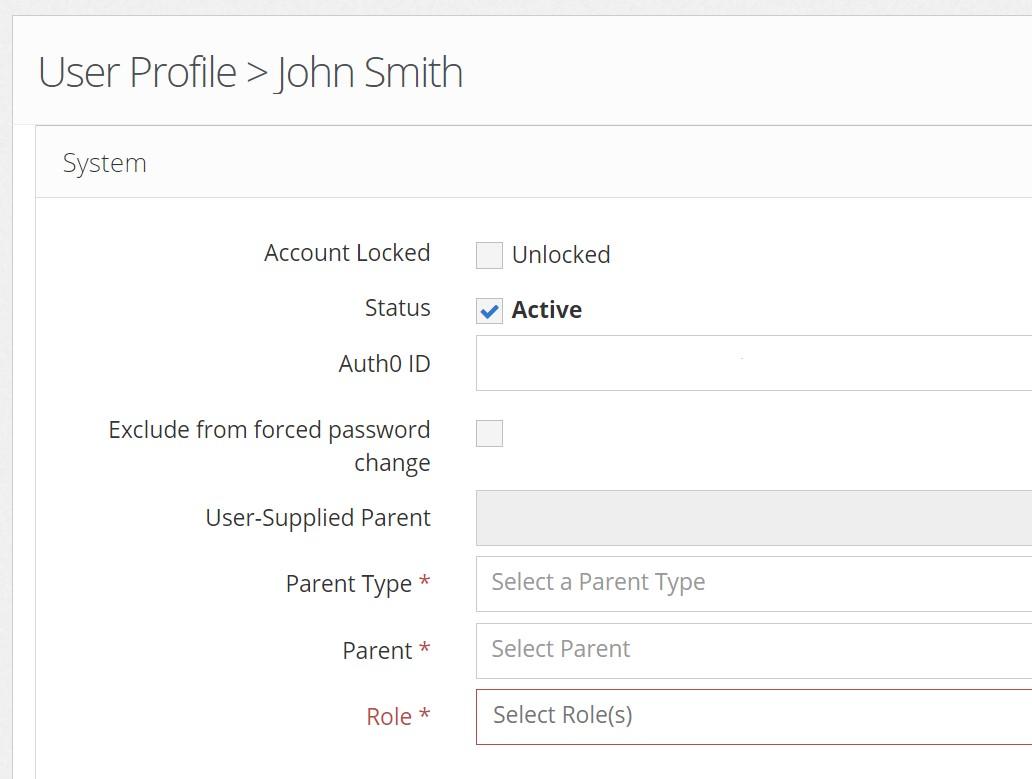
As the name implies, if no role has been assigned to a user, they will see the No-Role page. A role is set via their user profile view, in the System panel.
What appears on the No-Role Page?
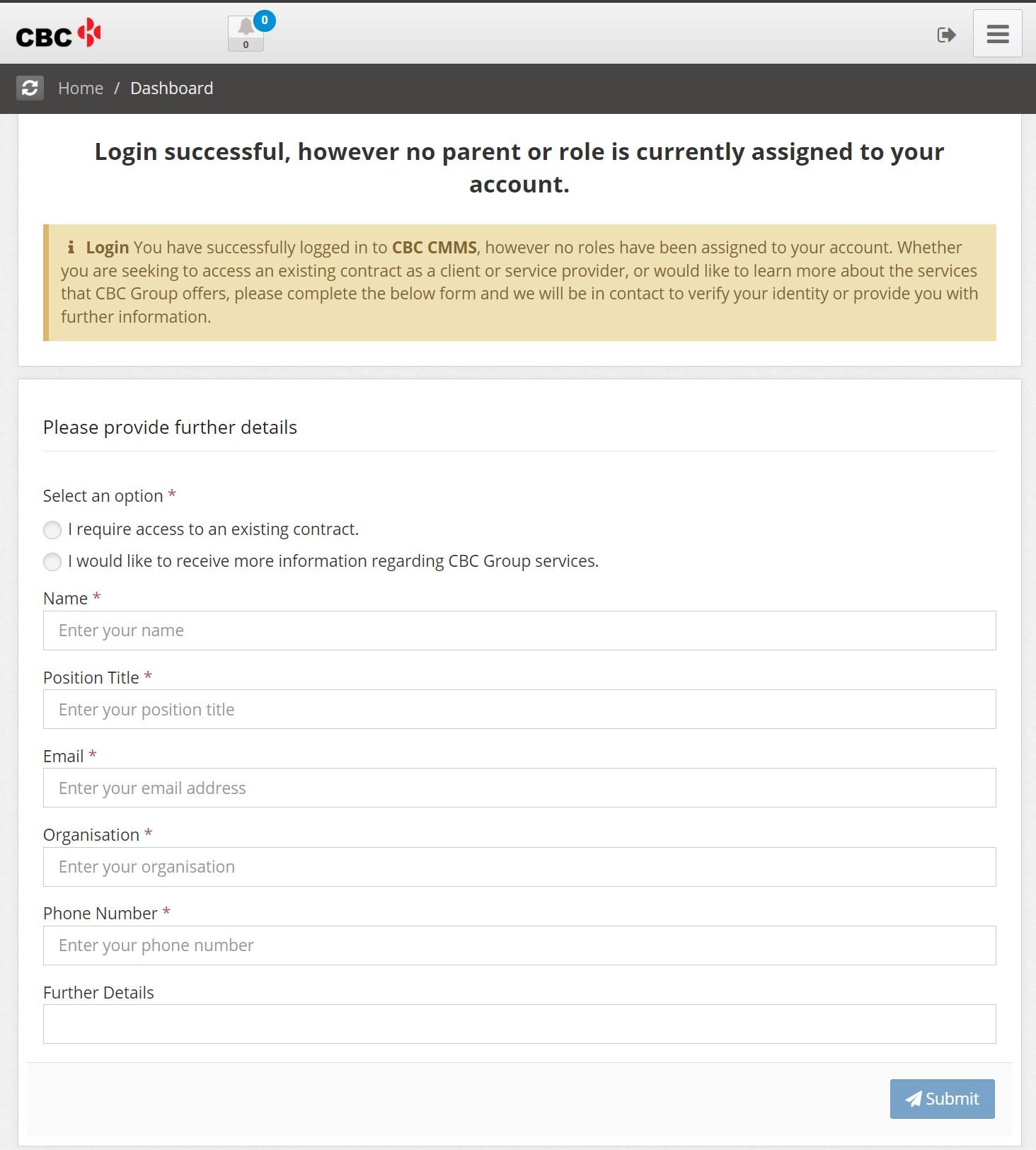
Further Details
This section allows users to submit additional information to CMMS. When the user clicks 'Submit' at the bottom of this section an email is sent to users with the appropriate notification checked.
| Detail Name | |
|---|---|
| I require access to an existing contract | Indicates that the contract they will be performing work for exists in the system already. |
| I would like to receive more information regarding CBC Group services. | Indicating they would like to receive more information. |
| Name | This will update the First Name for the user |
| Position Title | This will update the Position title for the user |
| Organisation | This will update the User-Supplied Parent for the user |
| Phone Number | This will update Phone 1 for the user |
| Further details | Additional information provided via the email. |
Qualifications
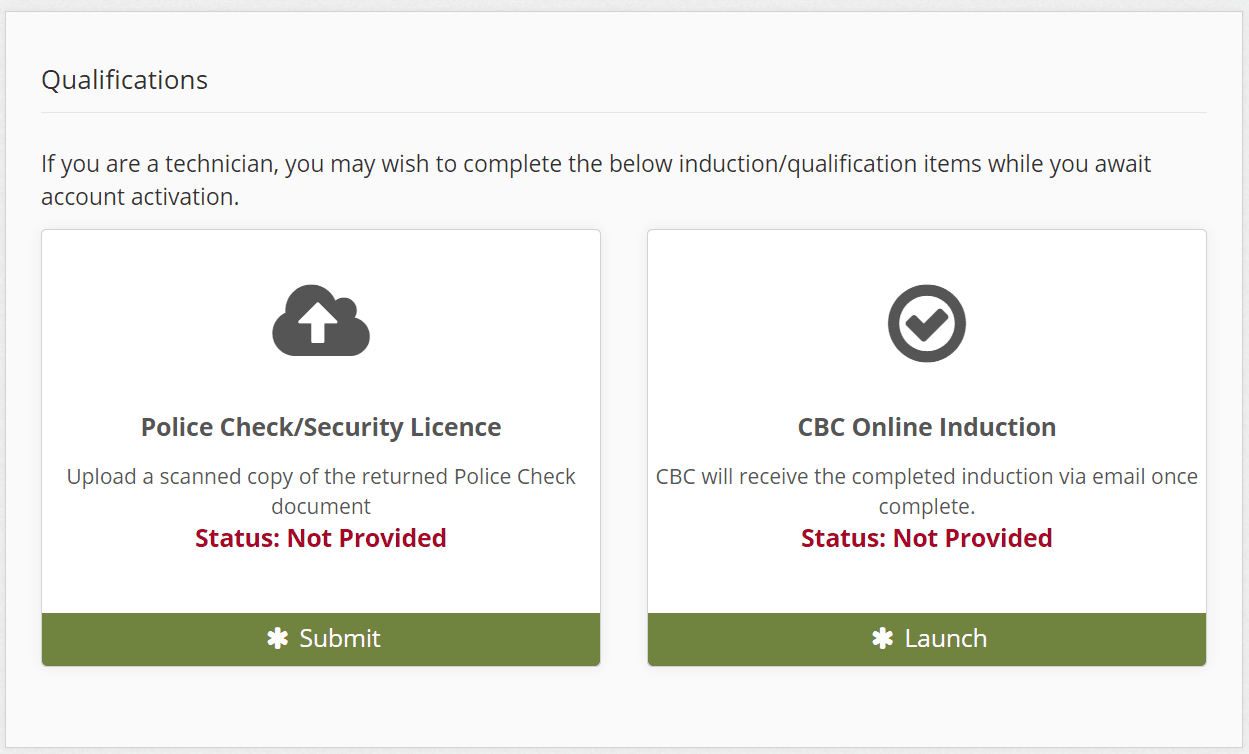
While users are unable to interact with all parts of the system at this stage, they can still upload or submit qualifications, which can speed up the onboarding process while they await account activation. By clicking the green 'Submit' or 'Launch' the user will be able to upload or complete qualifications.
How to change which Qualifications appear on the No Role Page.
The Qualfications presented on the No-Role page are selected on Tenant Settings.