Introduction
Welcome to the CMMS User Guide!
What is this site?
This site is a resource for procedures and guides related to CBC's CMMS platform.
Who can access this site
This site is accessible to CBC internal staff only, via your existing CBC Microsoft account.
When you access this site, the standard Microsoft Authentication window will be presented to you. Enter both your user and password and any two factor authentication required. The site can be accessed anywhere and on any device with a modern web browser.
Documentation for Provider and Client users
This site is designed for CBC internal team members. Separate sites exist to share documentation with our Provider and Client users:
CMMS Provider Guide site
https://cmmsproviderguide.cbcgroup.com.au (opens in a new tab)
CMMS Client Guide site
https://cmmsclientguide.cbcgroup.com.au (opens in a new tab)
How to Use this Site
Layout
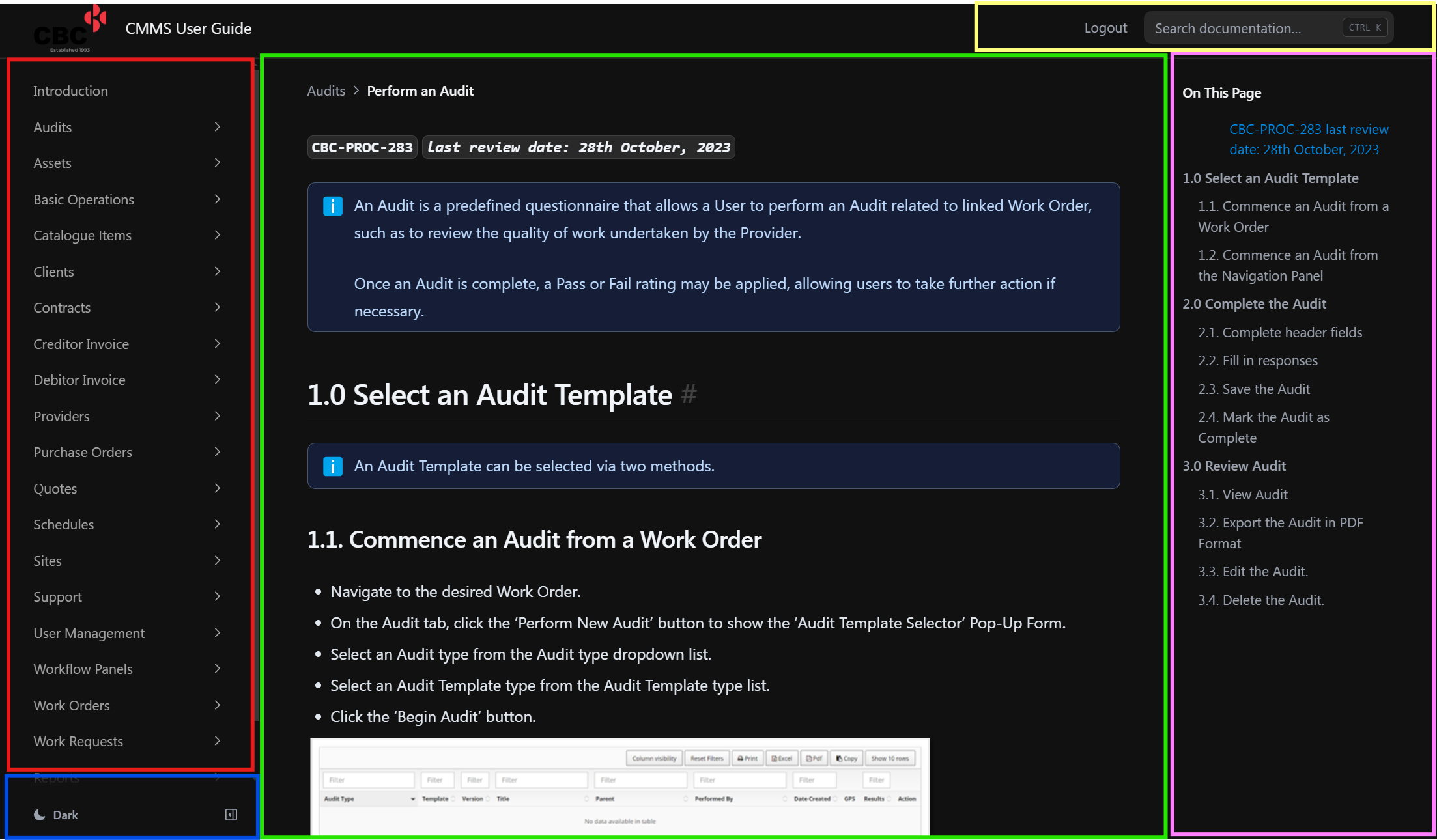
Red Section
The red section on the screen capture above shows the Menu Structure of all the documentation, similar to Windows Explorer and Folders and Files. You can simply select the folder and drill down to the appropriate document you requrie.
Blue Section
The blue section allows selection of Light Mode, Dark Mode or System, which uses the option you currently have selected on your deivce.
There is also a small button to allow the menu section (in red) to be hidden or shown. When hidden, nore space is used for the display of the viewed document.
Green Section
The Green section shows the main content of the document selected.
Pink Section
The Pink section shows the break down of all sub sections of the selected document. You can select any subsection to navigate to that part of the document.
Yellow Section
The Yellow section allows you to search all documents on the site for any word or phrase.